Showing posts with label spr. Show all posts

Sunday, December 14, 2014

Extracting information from Creatures 1 PhotoAlbum files (And uncovering a 20 years old 2 pixel bug :)

In the last article, we've seen how to manually use the "dde: pict" CAOS command to take picture of our Norns the way the Owner's kit does it.

When doing it the usual way through the Owner's kit, all pictures are saved in individual photo album files for each Norn.
In this article I will show you all you need to know to extract all information from those file : timestamps, comments, and obviously, the picture data.


Saturday, December 13, 2014

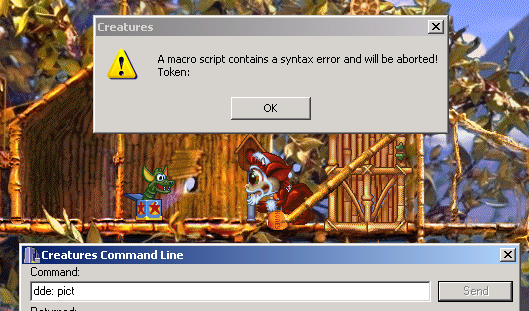
Repairing and understanding the lost "dde: pict" command (Taking photos of C1 Norns)


One promising nugget in the Creatures 1 CAOS reference, is the "dde: pict" command.

According to the documentation,


 Unfortunately, as many other things this command not only lacks critical bits of explanation but is also inherently broken (at least considering the above definition) and when used produces less than stellar results:


It's a shame we can't use this functionality in our own tools to take pictures as the Owner's kit does.
Or can't we ?

One of the main motives behind the site being uncovering such lost knowledge and abilities of the ancient Shee, come with me and find out how to understand and ultimately take advantage of this lost command.

Saturday, November 29, 2014

Parsing Creatures 1 .spr files (Extracting/Manipulating any of the game's graphics)

In a previous article I showed how to read Creatures 2 .s16 files to extract any of the game image data.
In this obvious follow up I will show you how to read out Creatures 1.spr files for the same result.

The Creatures 1 .spr file format is only marginally harder to parse than the .s16 format.
This is because the .spr files do not directly contain color information for each pixel, but rather an index number, to be used as a lookup index inside an external palette file to get the actual color data.
 
Thankfully, Python magic can once again save us most of the hard work and makes extracting an manipulating C1 images files a breeze.